Documentation / Curriculum
Versions, revisions and corrections
How a record changes over time, what each version keeps, and when an error can be fixed without a review.
Nothing approved is ever edited in place. Each approval writes a version, and the versions stay — so a student’s calendar year, an audit and a transfer agreement all have something to point at.
What a version holds
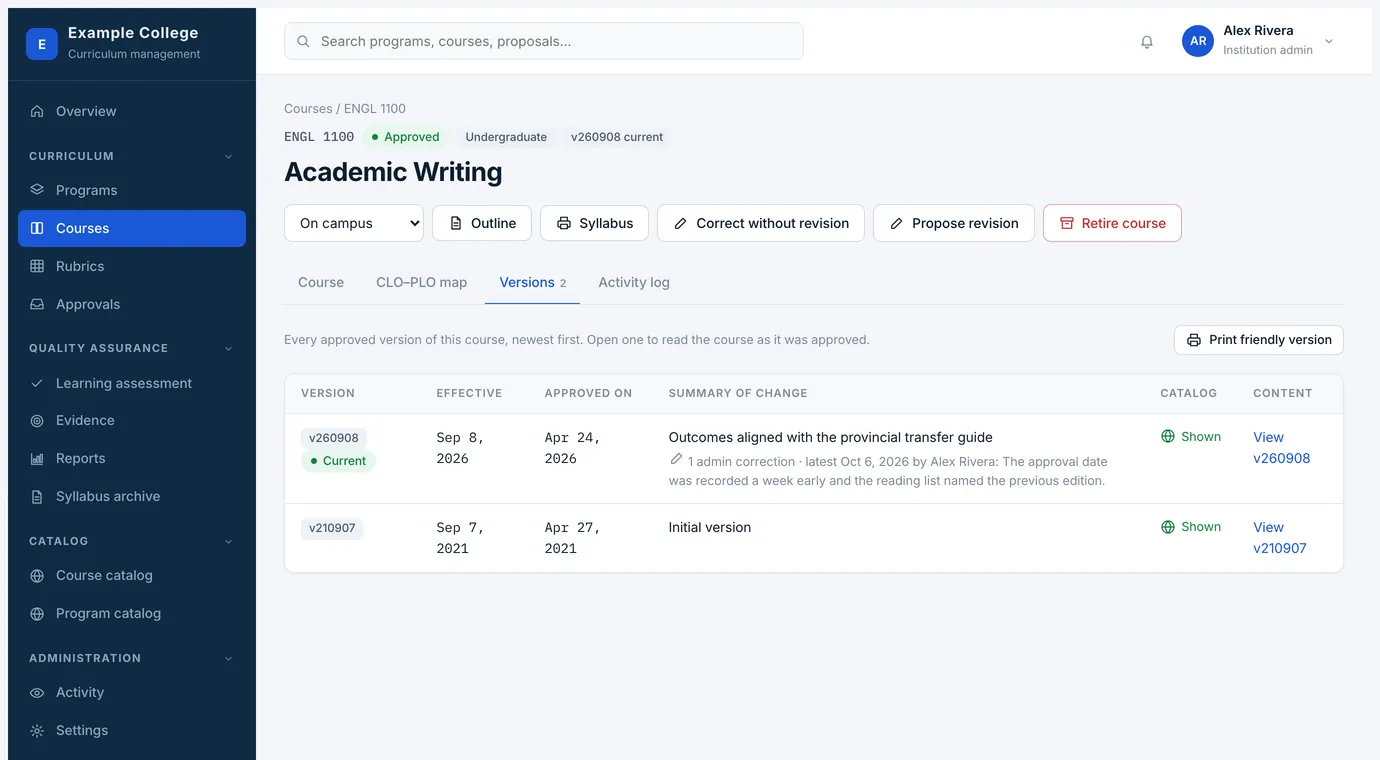
- Effective
- The first term the version applies to.
- Approved on
- The date the last approver signed it off.
- Summary of change
- What the proposer said they were changing, in their words.
- Catalog and content
- The catalog entry and the full record as they stood then, not as they stand now. Print friendly version gives you the lot in one document.
The three ways a record changes
- Propose revision
- The normal route. The approved version stays in effect while the revision moves through approval; the new version takes over on its effective date.
- Correct without revision
- For institution admins, and for errors rather than changes: a typo, wrong wording, an outdated attachment. It saves straight into the current version, requires a reason, and shows up in the log as a correction with every change listed.
- Retire
- Sends the course or program through its own retirement process. Retiring is treated separately because it removes something students may be enrolled in.
The activity log
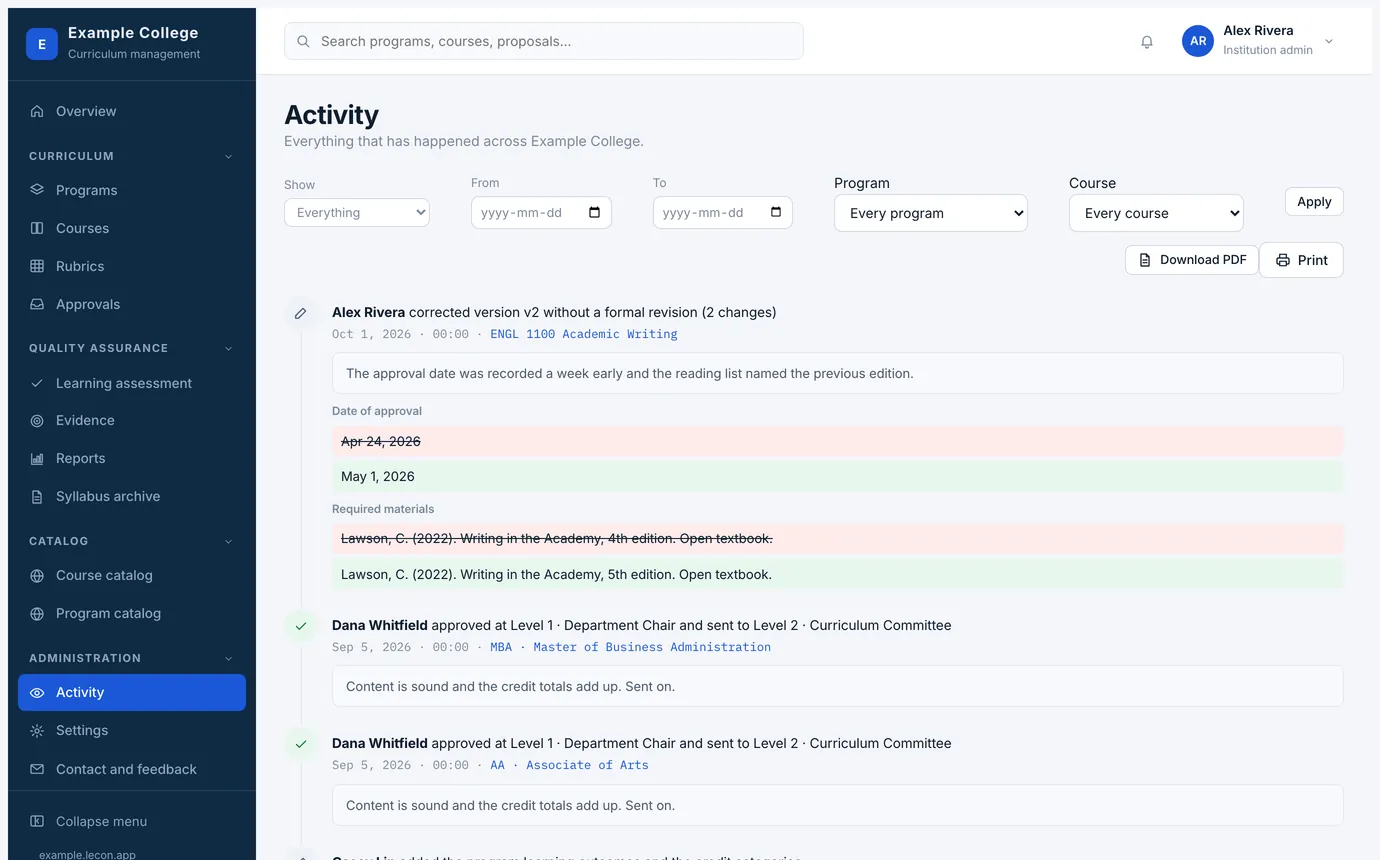
Every record has one, and it is the thing to open when somebody asks what happened. Submissions, each approval and send-back with its comments, corrections, edits and map changes — in order, with the person and the time.
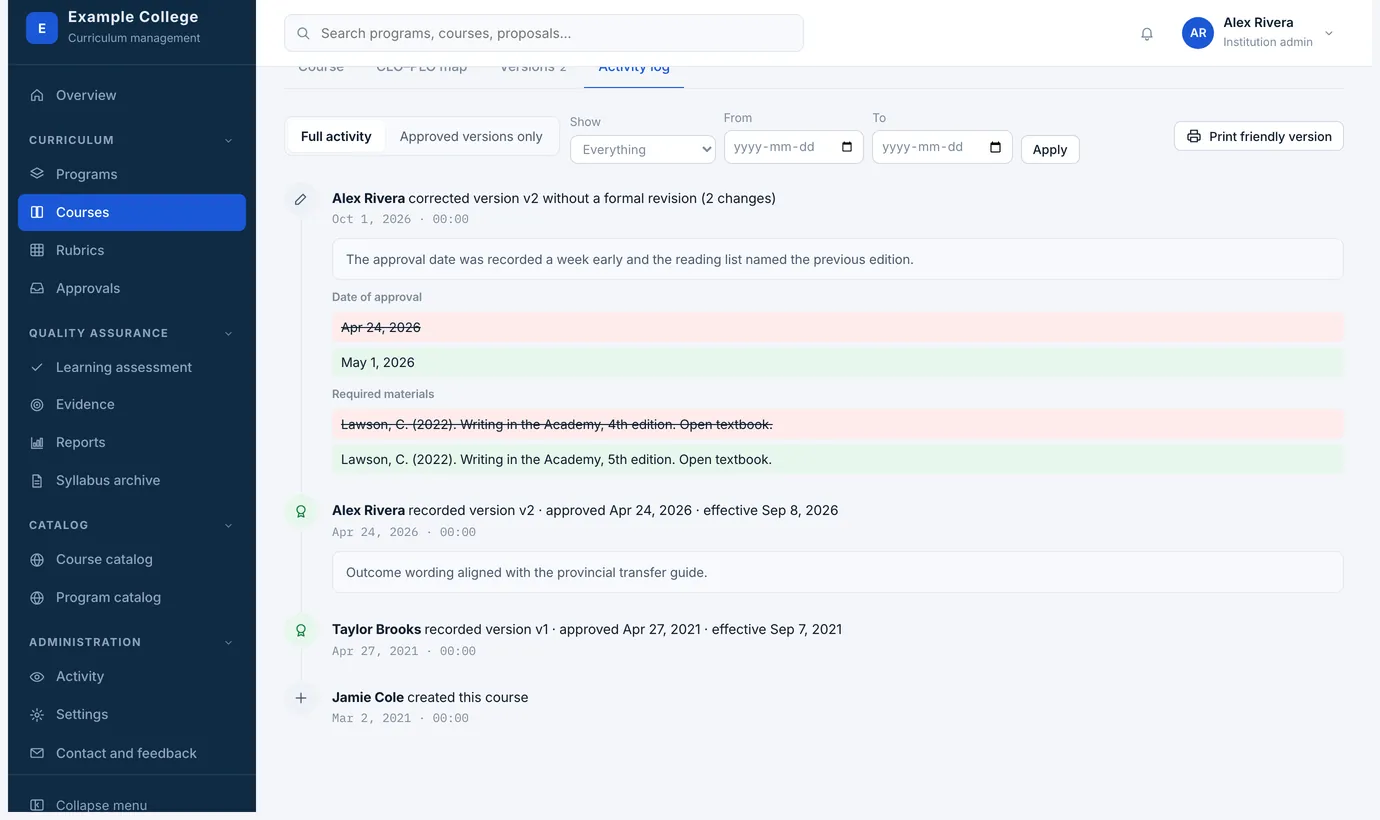
- A correction records exactly what moved: the old text struck through in red, the new text in green, field by field.
- Filters narrow the log to approved versions only, to a date range, or to one kind of entry.
- Download PDF and Print give you the same log as a document, which is usually what an auditor actually wants.
- Administration → Activity is the same thing across the whole institution, filterable by program, course and date. It holds what happened to your curriculum; what Lecon’s own staff do to your account, such as a plan change, is kept in their console rather than here.