Documentation / Quality assurance
Rubrics
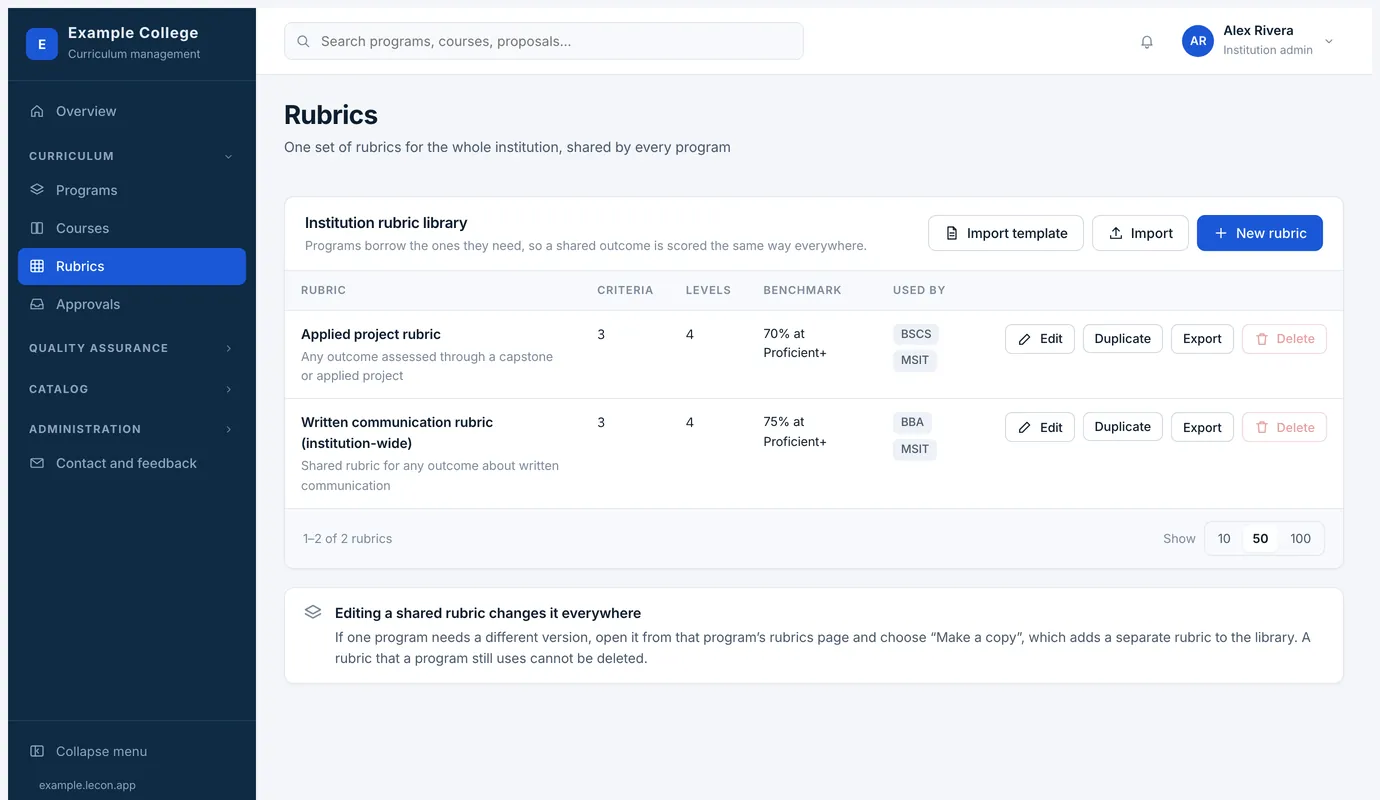
One library for the whole institution, borrowed by the programs that need it, so a shared outcome is scored the same way everywhere.
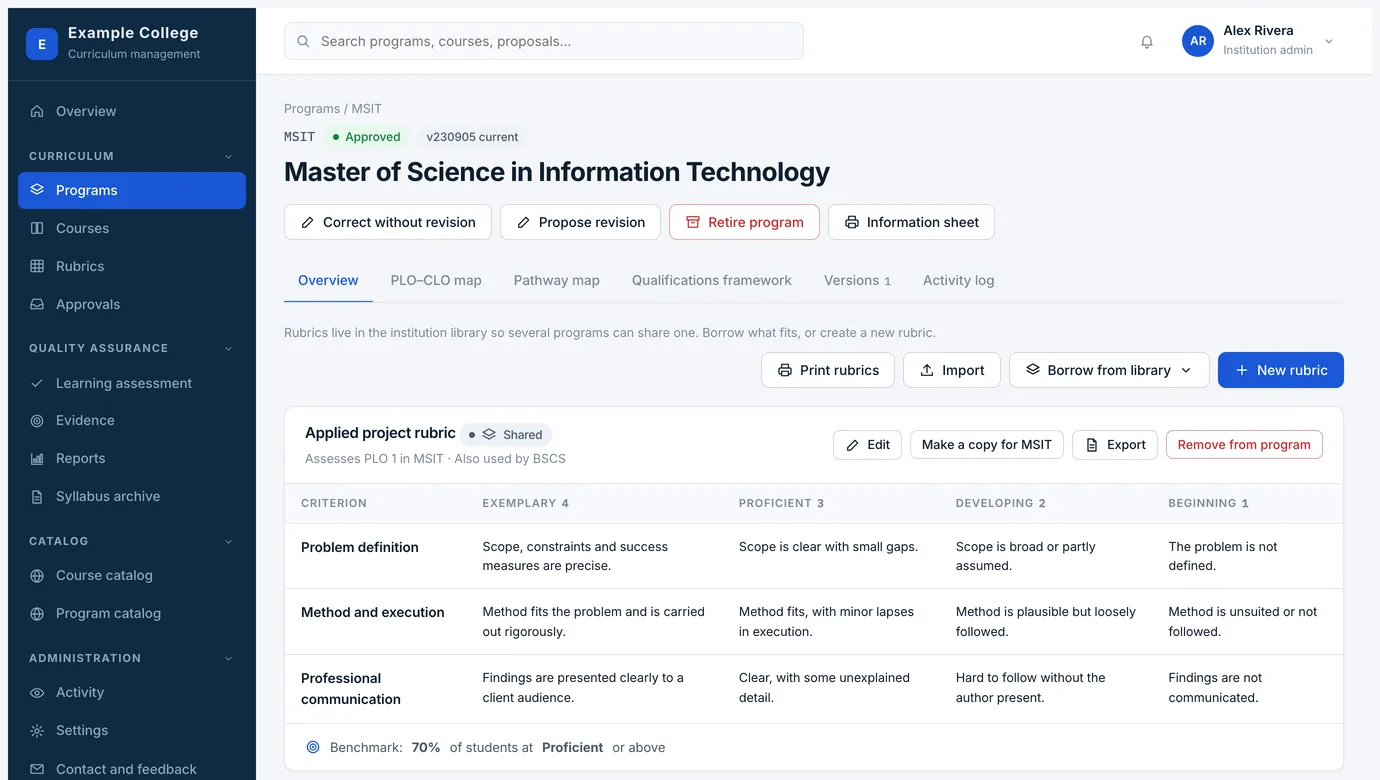
Rubrics live in one institution library. Programs borrow the ones they need rather than writing their own copy, so written communication is scored the same way in a business diploma and a science degree.
What a rubric holds
- Criteria
- The things being judged, one per row.
- Performance levels
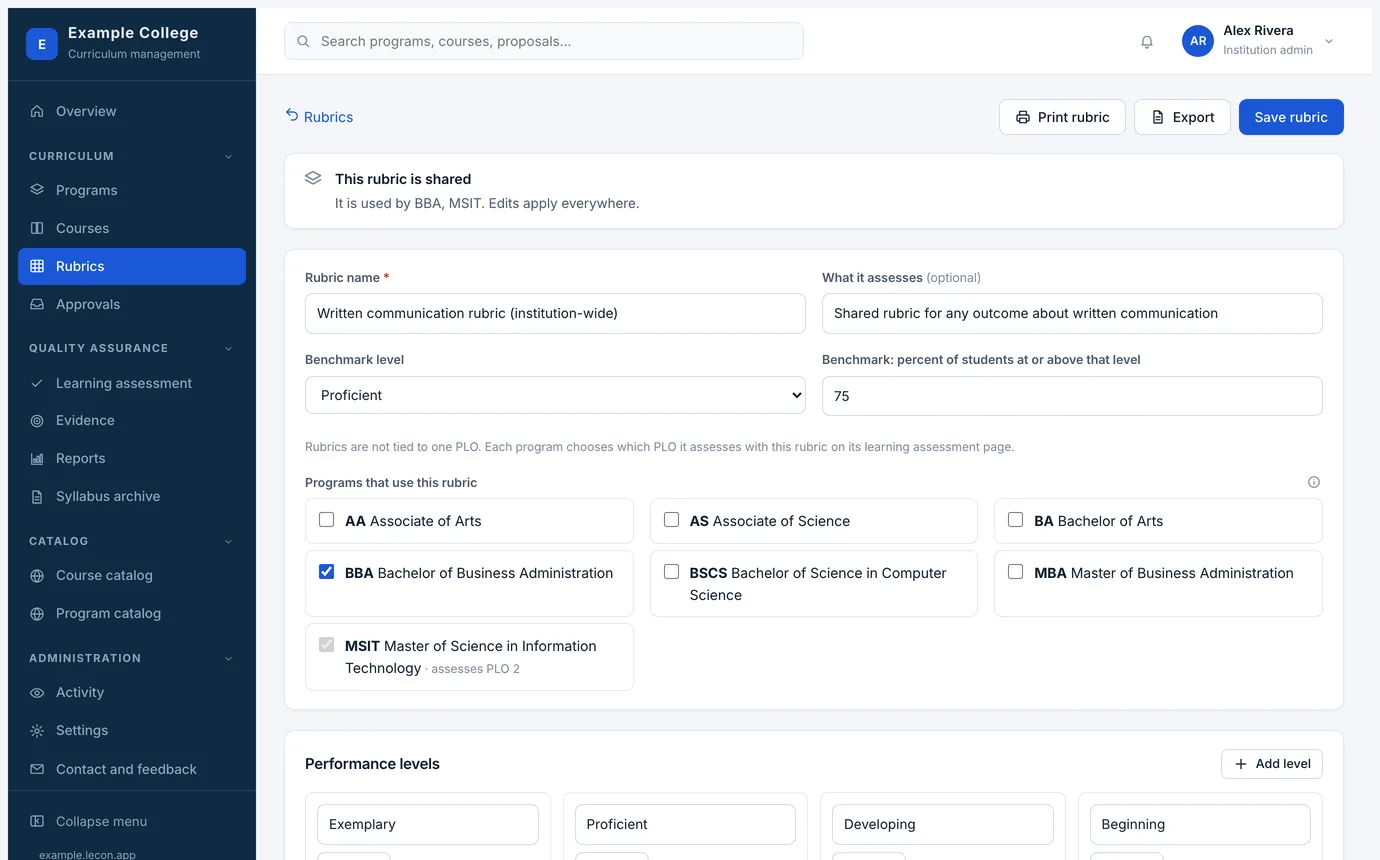
- The columns — Exemplary, Proficient, Developing, Beginning by default — each with the wording that describes work at that level, for every criterion.
- Benchmark
- The level students are expected to reach and the share of them expected to reach it, such as 70% at Proficient. Reports measure against this.
- Programs that use it
- Ticked here or borrowed from the program’s own rubrics page; both do the same thing.
Sharing, copying and deleting
- Editing a shared rubric changes it everywhere it is used. That is usually what you want; when it is not, open it from the program that needs something different and choose Make a copy, which adds a separate rubric to the library.
- A rubric a program still uses cannot be deleted. Remove it from the programs first.
- Import and Export move rubrics as files — start from the import template, which names the columns the reader expects. It is the quickest way to bring in rubrics you already use.
- Print rubrics, from a program’s rubrics page, gives you every rubric that program uses in one document; the library and a single rubric print the same way.