Documentation / Publishing
The public catalog
Publishing approved curriculum for students, and putting the same pages inside your own website.
Your approved curriculum is already written down; the catalog publishes it, so nobody retypes a calendar once a year. It lives at your own address — yourcollege.lecon.app/catalog/courses and /catalog/programs — and needs no account to read.
What students see
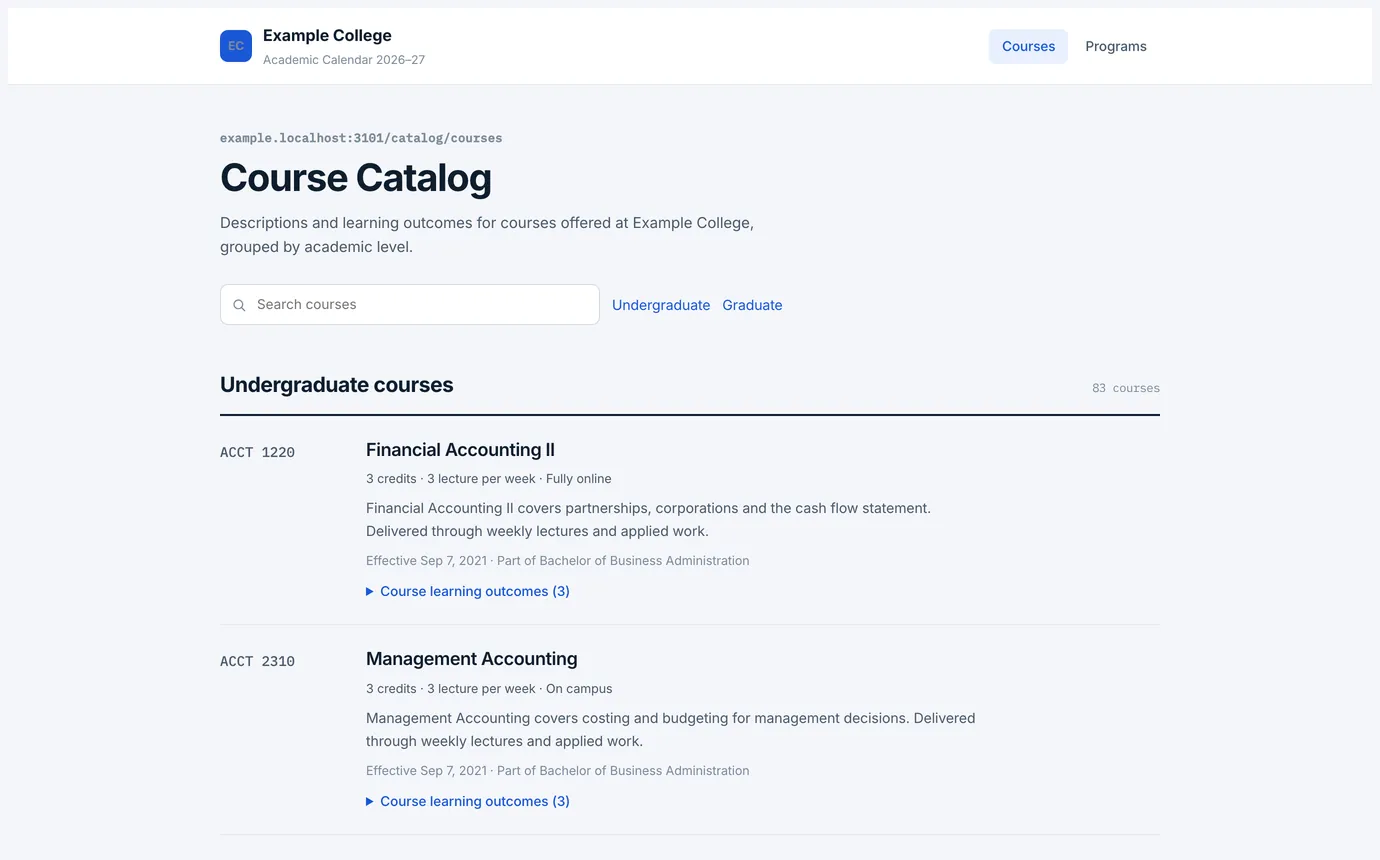
- Courses grouped by academic level, each with its credits, contact hours, delivery, description, requisites and effective date, and its learning outcomes behind an expander.
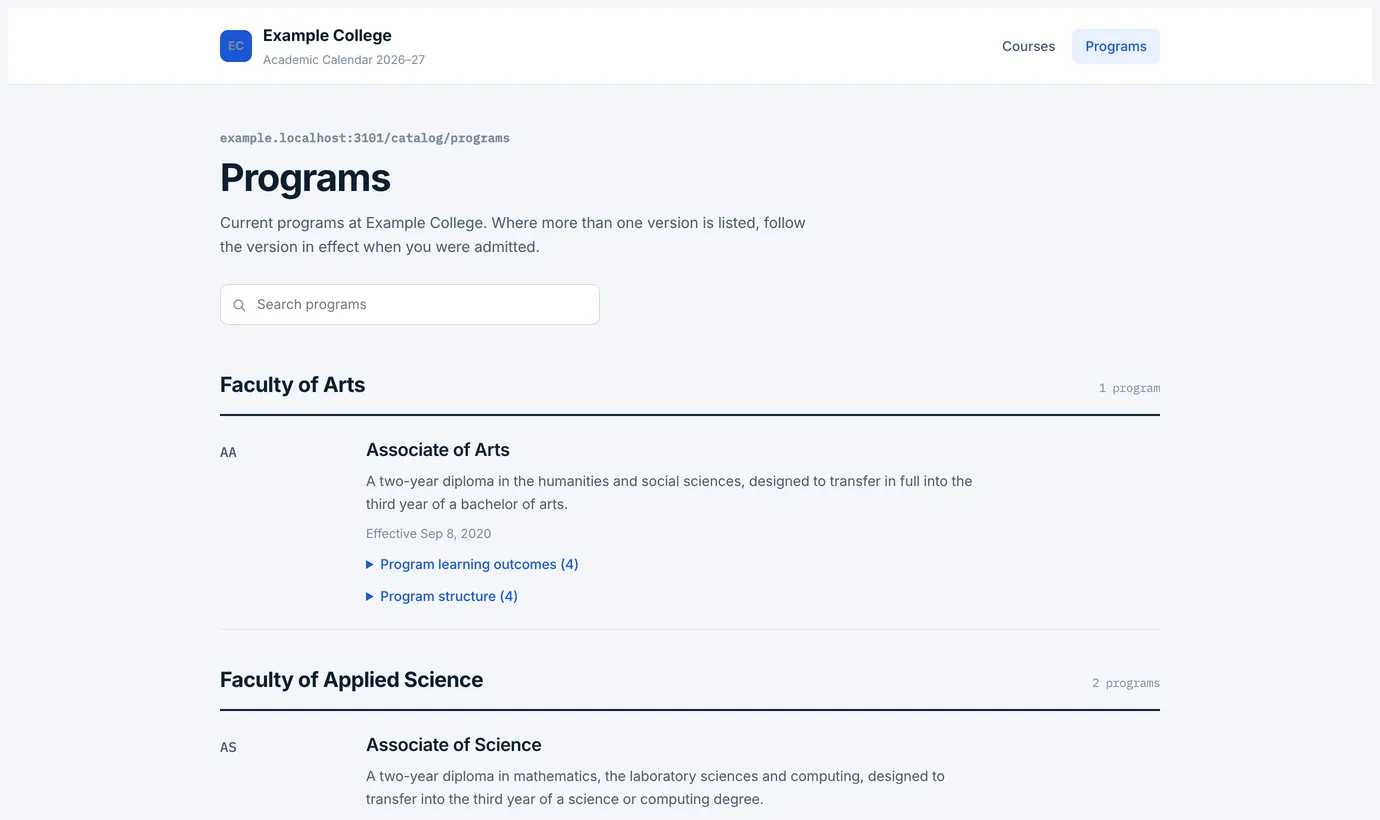
- Programs grouped by academic unit, each with its description, its learning outcomes and its structure.
- Only approved versions, each showing the date it took effect. Where more than one version is in effect, students follow the one from the year they were admitted — so the catalog answers an advising question instead of starting an argument.
Turning it on, and putting it on your own site
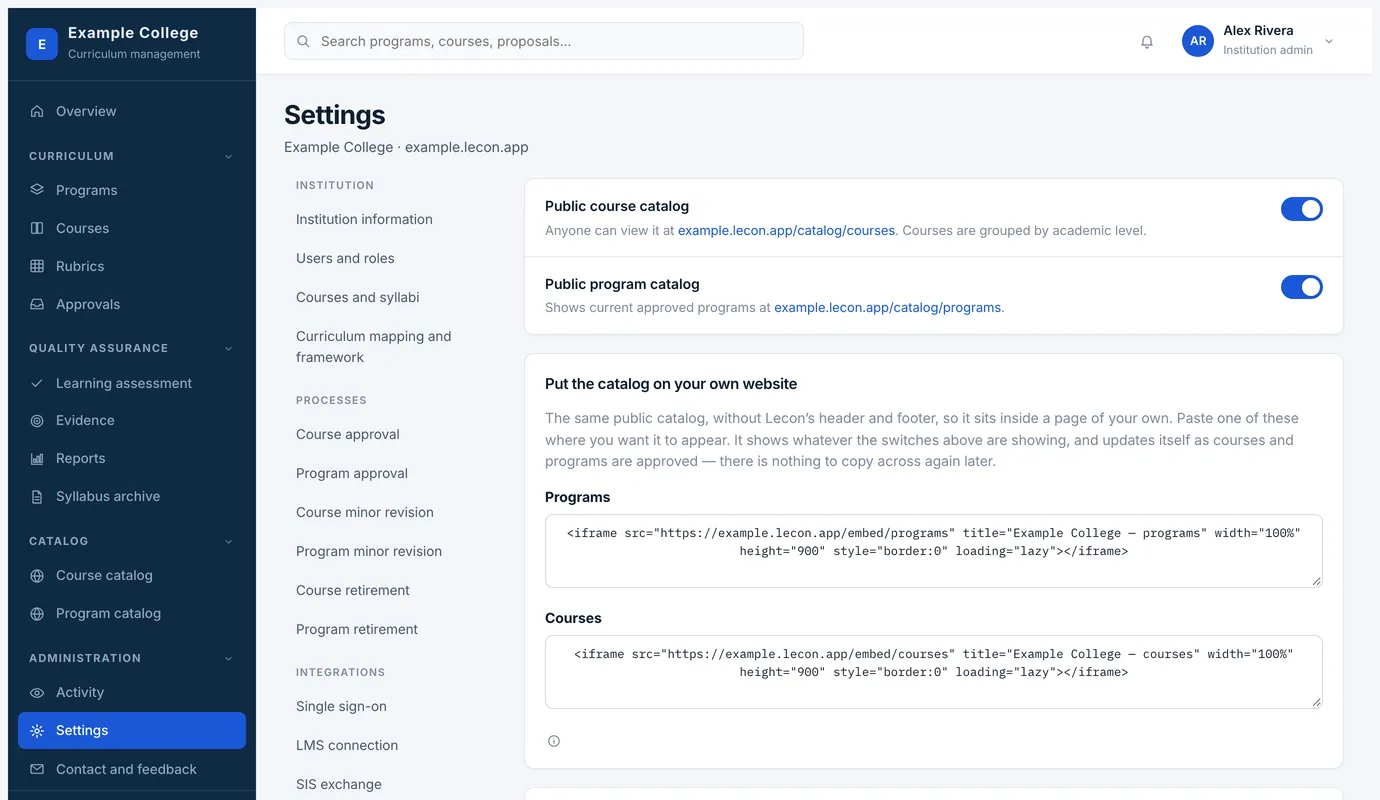
Settings → Public catalog has a switch for each catalog, and below them the code to embed the same pages in your own website: the catalog without Lecon’s header and footer, sitting inside a page of your own.