Documentation / Administration
People and roles
Who can do what, how accounts come into being, and how to name roles the way your institution does.
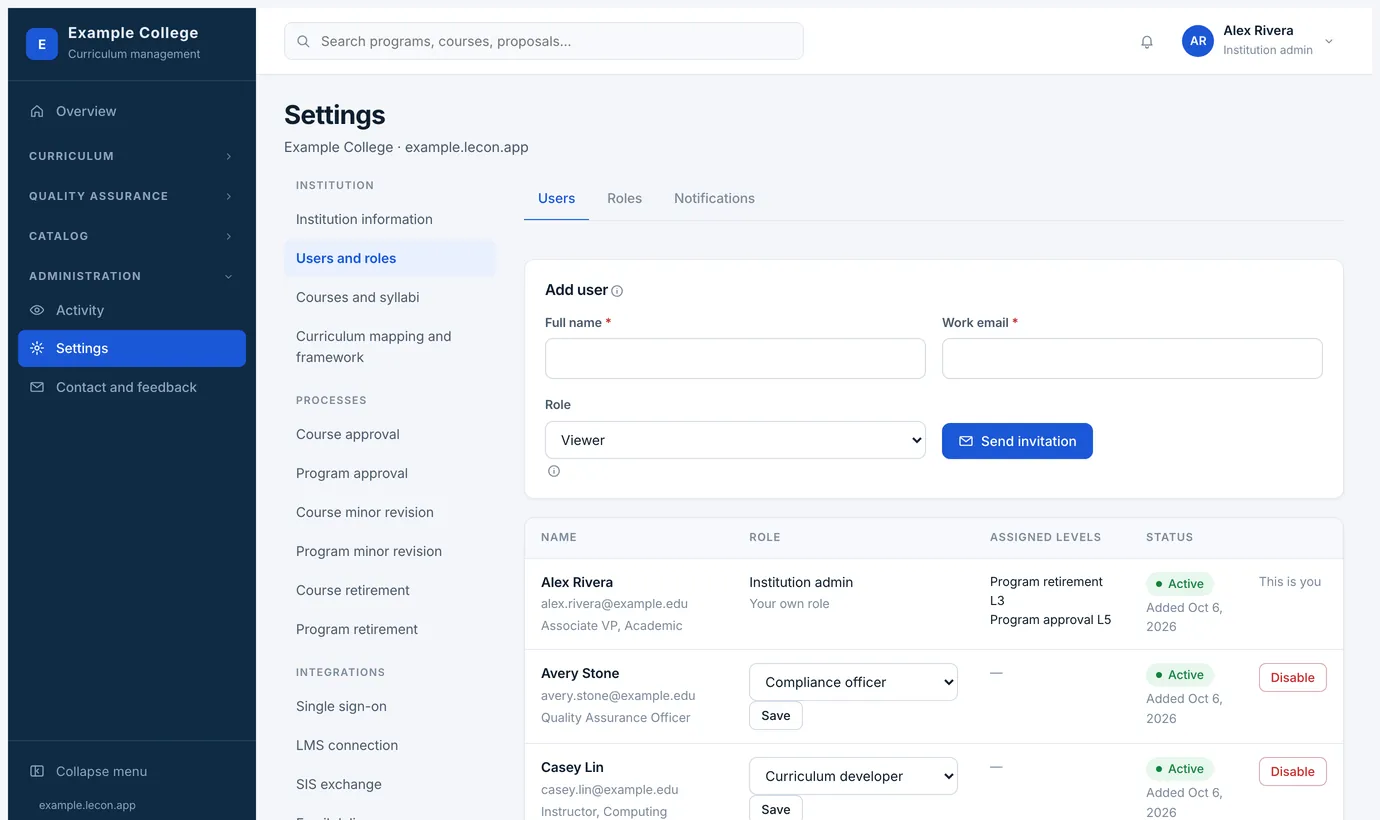
Settings → Users and roles has two tabs: the people at your institution, and what each role may do.
Most people need no setting up
With single sign-on, anyone at your institution can sign in with their own account and Lecon creates theirs on the spot, as a viewer, which you can change afterwards. Adding someone here is for setting a person up in advance.
Without single sign-on, adding someone emails them a temporary password. Until they replace it their account can reach one page and no other — the one that asks them to choose a password — and the list shows them as Temporary password so you can see who has not been in yet.
The roles
- Viewer
- Reads approved courses and programs, and assesses outcomes in the LMS. What most faculty need, and where every new account starts.
- Faculty
- Teaches sections. Reads the approved catalog, and puts their own section syllabi into the archive — the ones no LMS carried. Sees the syllabi they added, not the whole archive. Not a weaker curriculum developer: a different job.
- Curriculum developer
- Proposes courses and programs and writes rubrics. Sees curriculum at every status, not only what is approved.
- Management leadership
- Sits on approval, revision, retirement and syllabus processes, and reads reports, syllabi and the activity log.
- Curriculum management
- Runs the curriculum operation: approval processes, the framework, rubrics and people’s roles. Reads the institution’s settings but does not change them, and does not touch the integrations.
- Compliance officer
- Reads everything an admin can read, and changes nothing.
- Institution admin
- Everything, including corrections without revision and the integrations.
Changing what a role may do
- The Roles tab is a grid: every permission down the side, every role across the top, ticked where it applies. Reading, curriculum, approvals, quality assurance and settings are grouped separately.
- Rename any role to what your institution calls it — included from the Starter plan up. The name is used everywhere a role is shown.
- The institution admin always holds everything, and only an admin can grant or remove the admin role, so the institution cannot lock itself out.
- Approval levels are separate from roles: a person holds a level because a process names them under Settings → Processes. Their profile lists the levels they hold.
- Some rights are granted on their own rather than coming with a role, because of what they let someone do: exporting the institution’s data, which carries names, addresses and every comment on a review; adding a syllabus to the archive by hand; and recording attainment evidence by hand, which writes the figures an accreditation report quotes. Adding syllabi and reading the whole archive are separate, so a lecturer can file their own sections without reading everyone else’s.
- The Notifications tab is here too, since what Lecon emails is about the people on this page.