Documentation / Curriculum
Importing the curriculum you already have
Loading existing courses and programs from a spreadsheet, with a check before anything is saved.
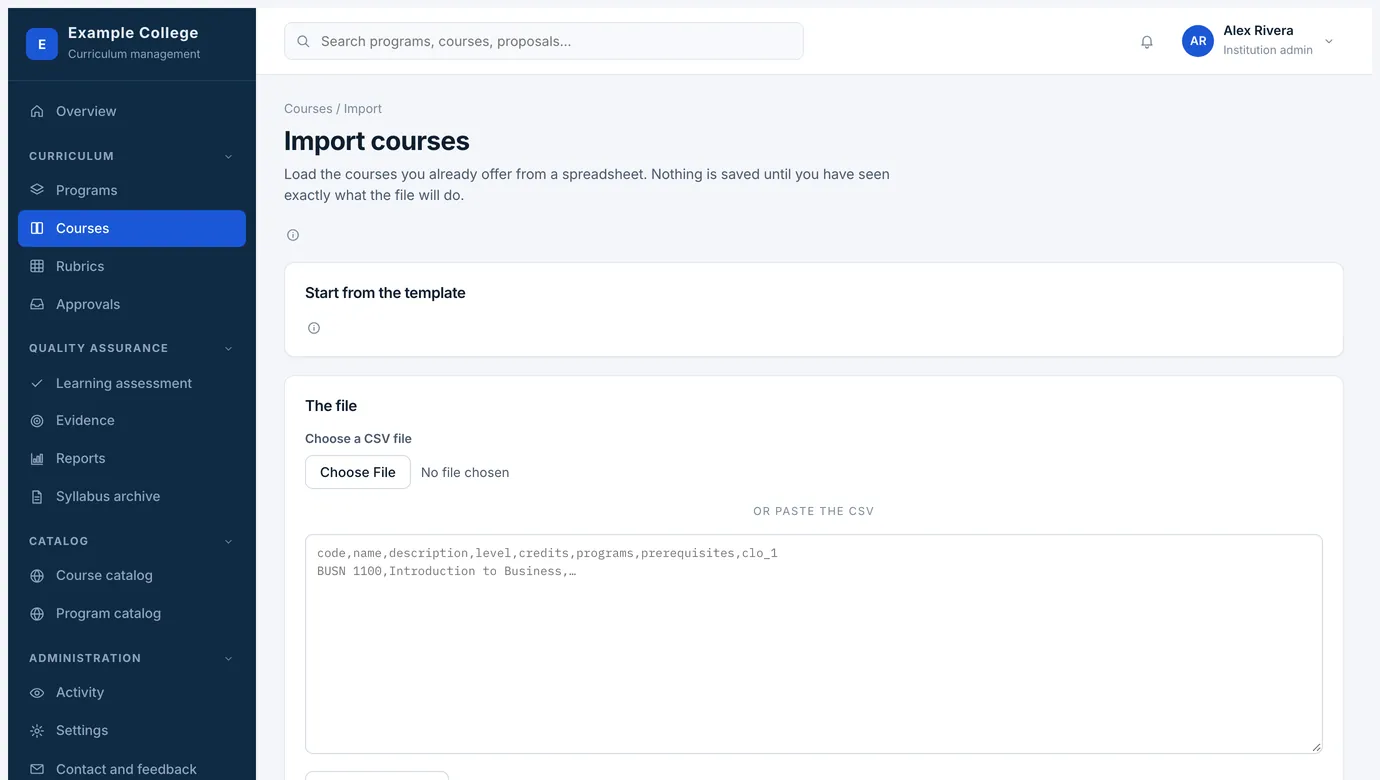
Most institutions arrive with a few hundred courses in a spreadsheet. Courses → Import, and Programs → Import, load them in bulk. Nothing is saved until you have seen exactly what the file will do.
How it goes
- Start from the templateDownload the course template — one row per course and delivery mode, with every column the course form holds. The column names are the ones the reader expects, so keep them. A file with no hours-basis column is read as hours in total, which is how most institutions state them.
- Courses first, then programsImport the courses before the programs, so the programs can link to them. The program template is one row per program, with its outcomes and its courses.
- Check the filePaste the CSV or choose the file and check it. You get a line-by-line account of what will be created and what will be skipped, with the problems named, before anything is written.
- Say how they should be enteredAlready approved saves each one as version 1, shown in the public catalog — what you want for the curriculum you already offer. Drafts saves them for someone to submit for approval instead.
The page lists every column the reader understands, and what each one holds, so the person preparing the file can map their own export to it once and keep the mapping.
NextHow approval works