Connecting your LMS, sign-in and SIS
The three integrations: Lecon inside your LMS, people signing in with the account they already have, and curriculum going out to your student system.
Curriculum is only useful where teaching happens, so Lecon pushes the approved record outwards rather than asking anyone to copy it. All three integrations are under Settings → Integrations, and only an institution admin sees them. They are included from the Starter plan up; on the Free plan the page explains what an upgrade would add rather than hiding it.
LMS connection
Lecon registers as an LTI 1.3 tool, so it opens from inside each course in Canvas, Moodle, Blackboard, Brightspace or D2L. Faculty place the approved course outline in their course shell, and build assessments that grade students against program learning outcomes using the program’s rubrics. Grades go to the LMS gradebook; the rubric levels come back to Lecon as evidence for each program’s accreditation report.
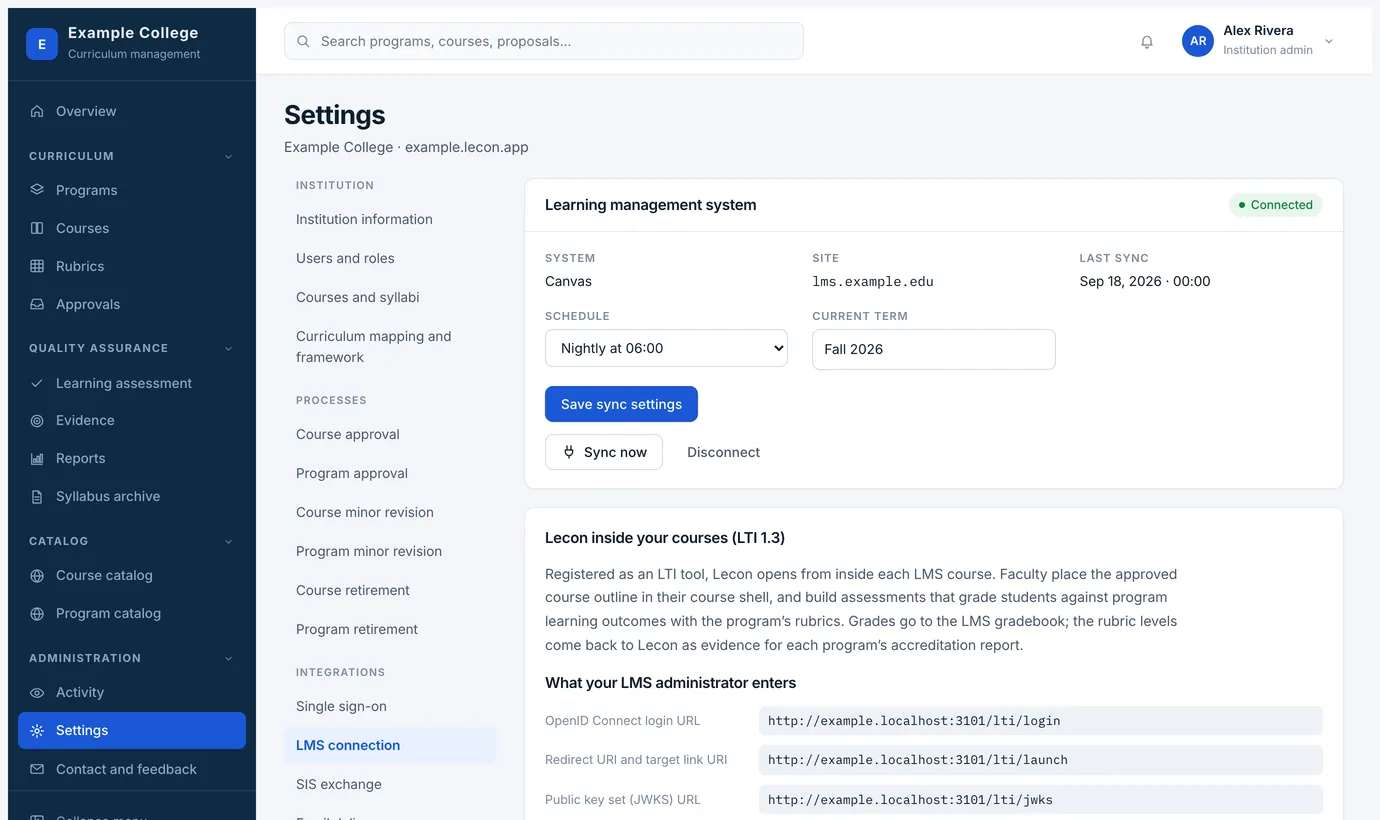
- The page gives your LMS administrator the values they need — the OpenID Connect login URL, the redirect URI, the public keyset — and takes the client details back.
- Choose a sync schedule: nightly, weekly, or manual only. Sync now runs it immediately, and the page shows when it last ran.
- The syllabus archive and the evidence behind your reports both arrive through this connection.
Single sign-on
Let people sign in with the account they already have. Your IT department registers Lecon as an application in your identity provider; the assertion it sends back carries the person’s email address, and optionally their employee ID, name, department and affiliation.
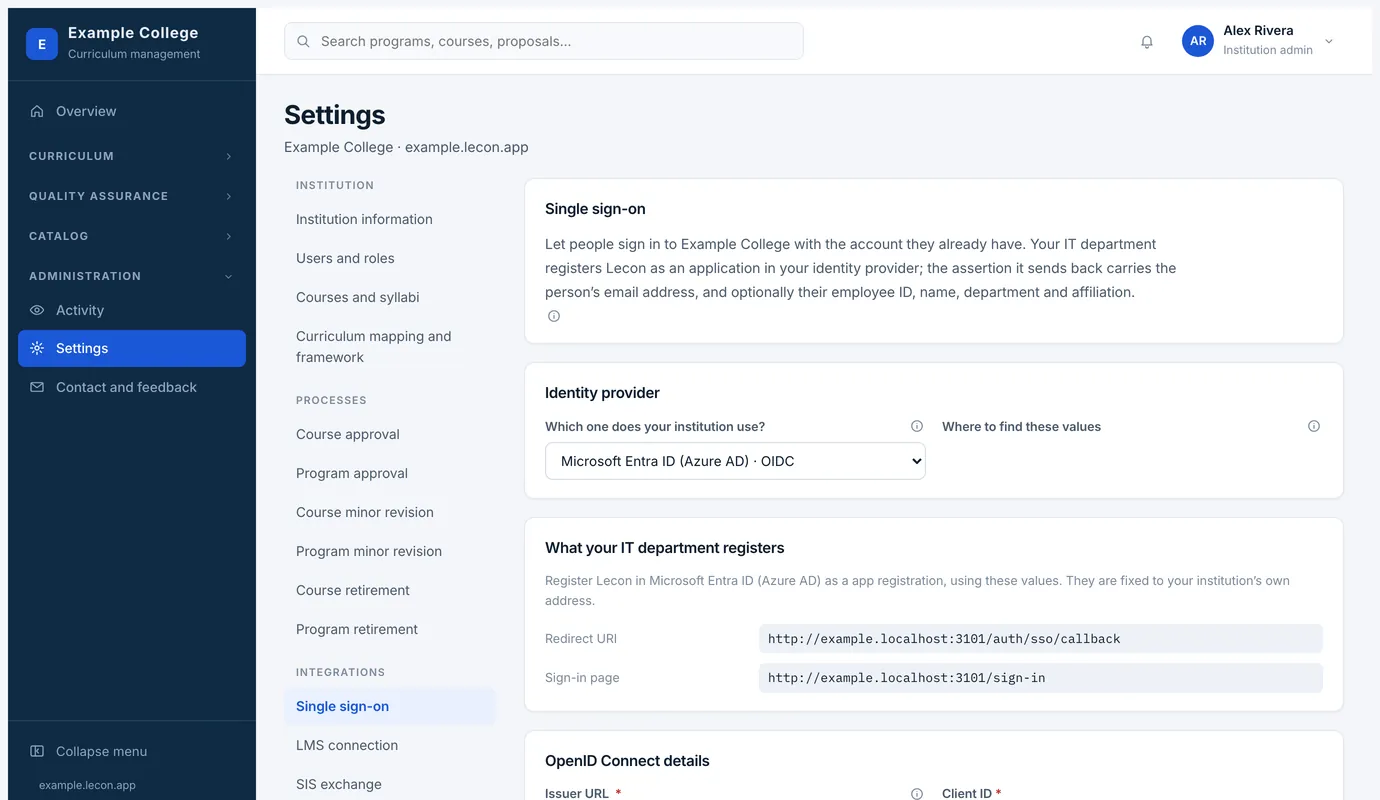
- Microsoft Entra ID, Okta, Google Workspace and Keycloak over OpenID Connect; Shibboleth and Active Directory Federation Services over SAML.
- Choosing yours shows exactly where to find each value in that provider’s admin console.
- Until it is set up, everyone signs in with a password; afterwards, a person who signs in for the first time gets an account as a viewer.
SIS exchange
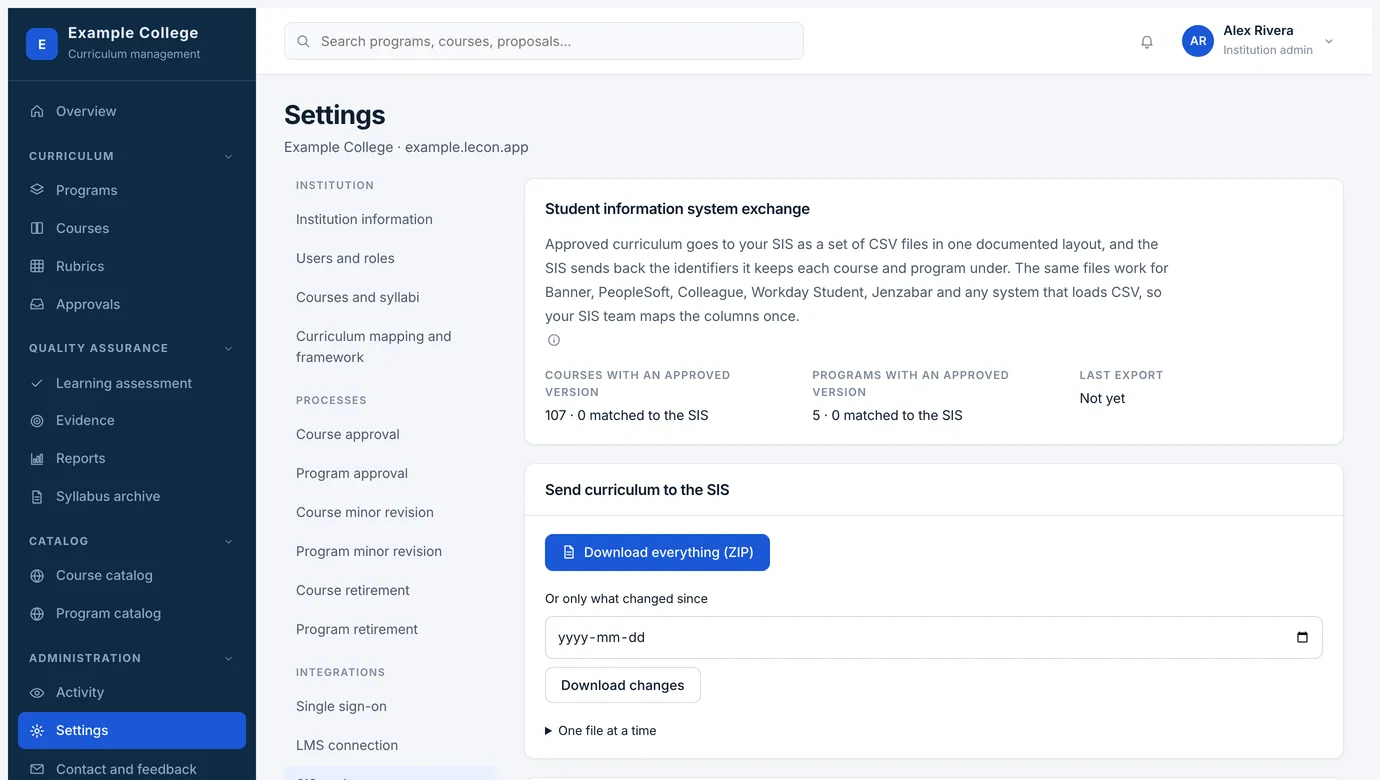
Approved curriculum goes to your student information system as a set of CSV files in one documented layout, and the SIS sends back the identifiers it keeps each course and program under. The same files work for Banner, PeopleSoft, Colleague, Workday Student, Jenzabar and anything else that loads CSV, so your SIS team maps the columns once.
Email delivery
Approval requests, invitations and decision notices are sent by Lecon on your behalf, and many institutions leave it exactly like that. If you would rather they came from your own domain, that is set up here with a few DNS records and can be undone at any time — nothing changes until those records verify, because a message claiming to come from your domain before your DNS allows it would be treated as spam.