Documentation / Curriculum
How to add a new program
Set up a credential, its outcomes and its structure, then send it for approval.
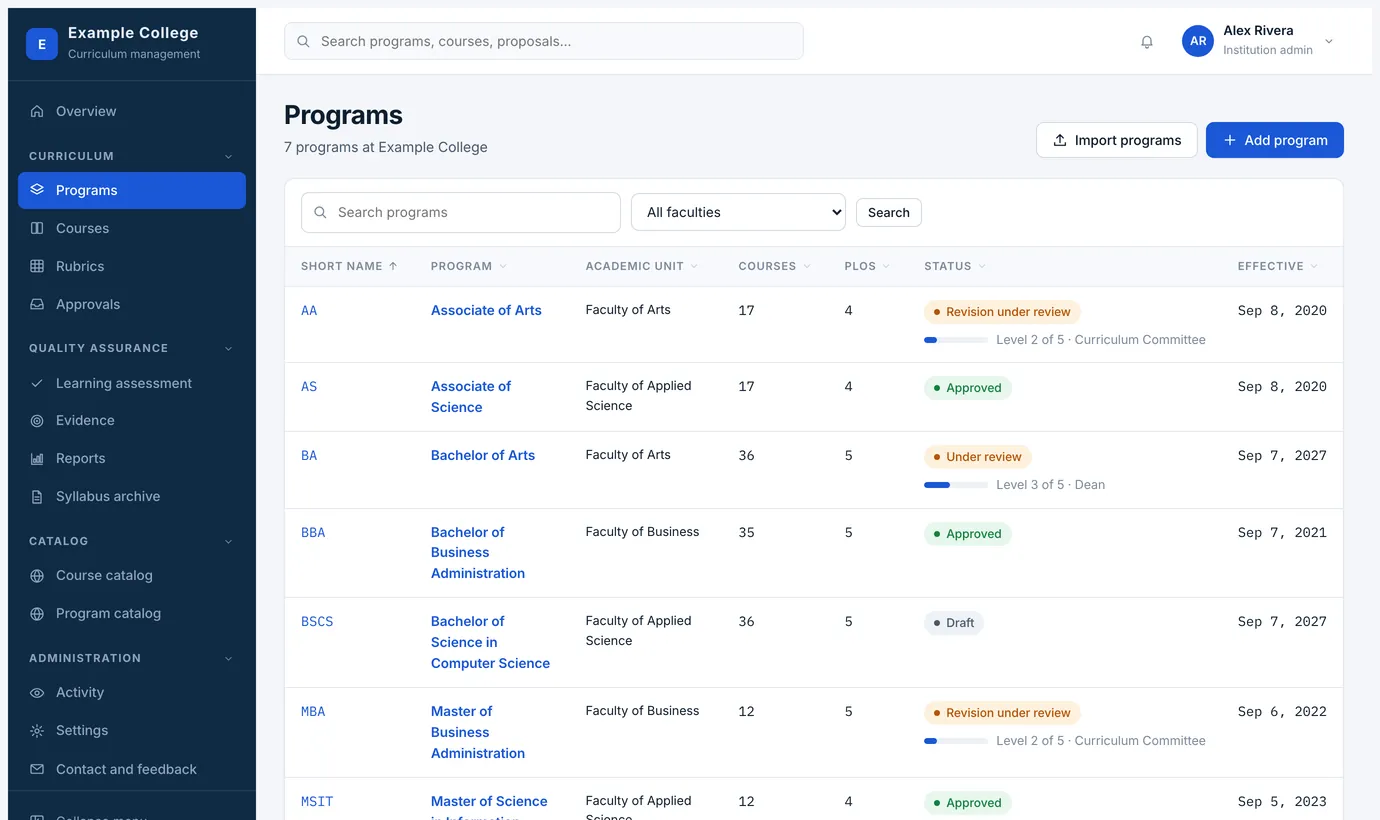
Programs → Add program. As with courses, you choose whether this is a program you already offer or a new proposal, and you can save a draft as you go.
Filling in the form
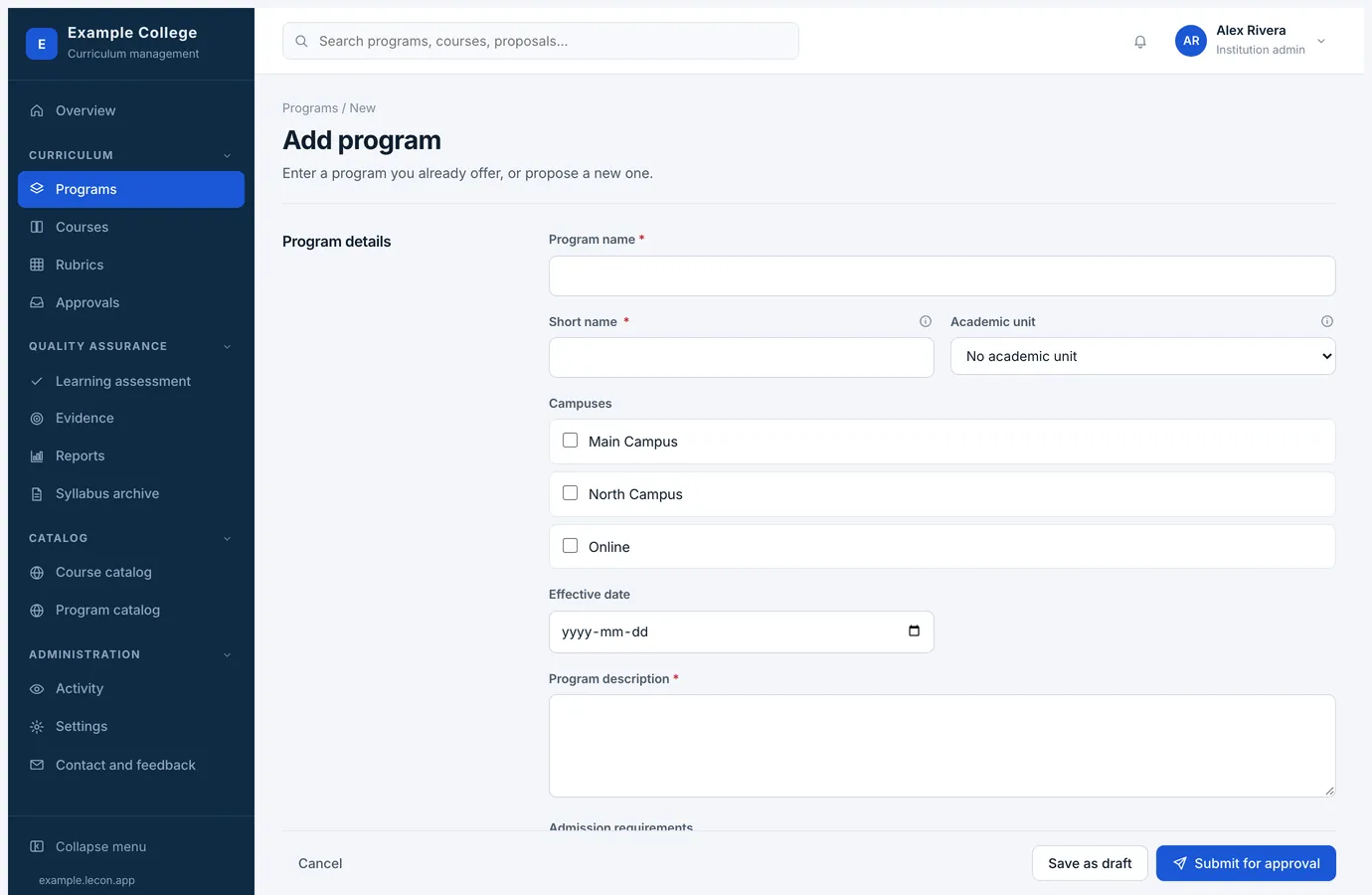
- Program detailsProgram name and short name, the academic unit it belongs to, the campuses it runs at, the effective date, the description and the admission requirements. The short name appears on course records and outcome labels, so keep it to the form your institution already uses, such as MBA or BCom.
- Program structureCredits to graduate, then the requirement groups students must satisfy — core requirements, electives, a work term, a specialization. Each group says what students do and can be limited by subject and by level. Anything that does not fit a group goes under other program requirements.
- Program learning outcomesThese are what courses map to, what rubrics assess and what accreditation reports are built from, so they are worth writing carefully.
- StatusApproved previously saves it as version 1 with a date of approval and no review. Newly proposed sends it through the program approval process.
- More program informationThe full program document, attached as a file or written in the editor.
The program page afterwards
- Overview
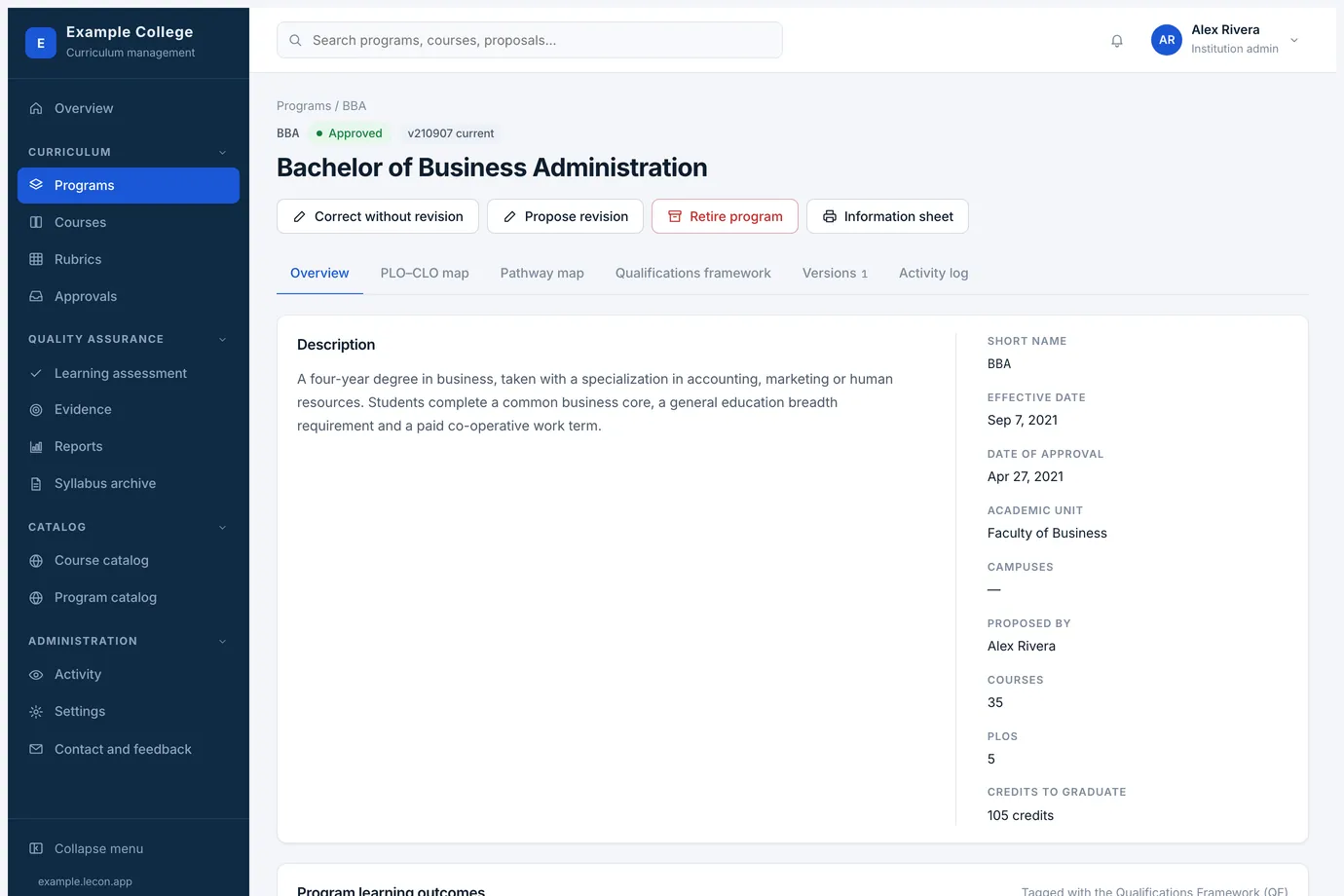
- The description, the facts down the side — short name, effective date, academic unit, campuses, courses, PLOs, credits to graduate — then the outcomes and the structure.
- PLO–CLO map
- Where each program outcome is introduced, practised and mastered across the courses.
- Pathway map
- The program laid out year by year or term by term, as a student would take it.
- Qualifications framework
- Which of your jurisdiction’s degree-level standards each program outcome meets.
- Versions and Activity log
- Every approved version, and everything that has happened to the program.
- Information sheet
- A print-ready summary of the program: what a dean, a committee or an external reviewer usually asks for.
What to do next
- Link the courses, from either side — the course form’s Programs section, or the program’s Courses tab. For each linked course you can follow its current version or pin the version this program uses.
- Fill in the PLO–CLO map, so the program can show where each outcome is taught.
- Borrow the rubrics the program needs from the institution library, then plan where each outcome is assessed under Learning assessment.