Documentation / Approvals
How approval works
What happens after somebody presses Submit: levels, decisions, send-backs and what each one records.
A proposal moves up a ladder of levels that your institution defines — department chair, curriculum committee, dean, education council, board — one at a time, in order. Approvers are emailed when an item reaches their level.
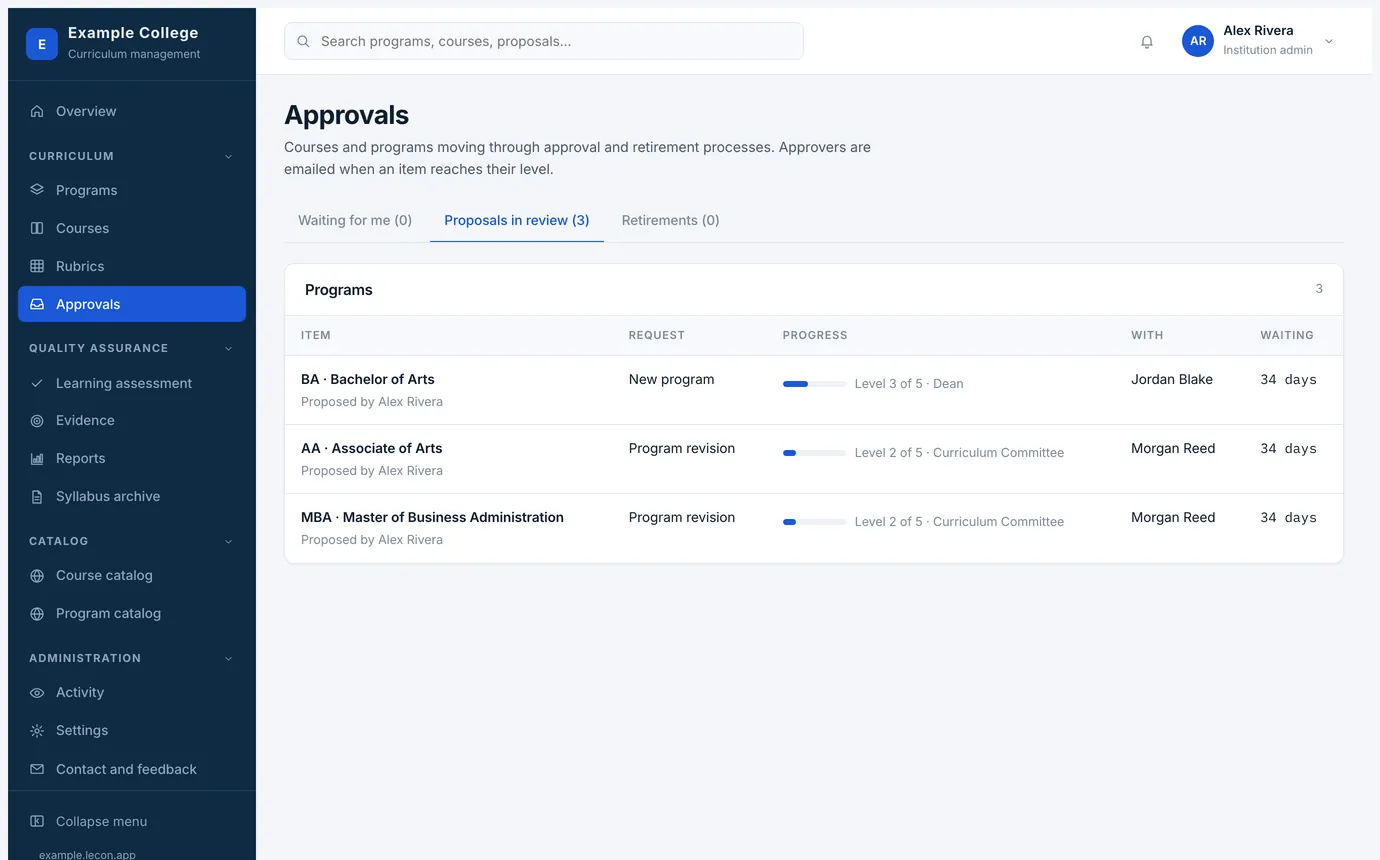
The Approvals page
- Waiting for me
- Items at a level you are responsible for. This is the tab to work from.
- Proposals in review
- Everything in flight, programs and courses separately, with who proposed it, what kind of request it is, how far it has gone, who holds it now and for how many days.
- Retirements
- Requests to retire a course or program, kept apart because they remove something students may be enrolled in.
Making a decision
Opening an item shows the record as proposed, with the decision panel above it: the ladder of levels, where this item has reached, and your choices at your level.
- Approve and send to <the next level> moves it on and emails whoever is responsible there. At the last level, approving is final: the version is written, with its date of approval, and takes effect on its effective date.
- Send back returns it to any earlier level, or to the proposer. You choose where it goes, so a small wording fix need not fall all the way down the ladder.
- Comments and attachments go into the record, so the next reader sees why a decision was made, not just that it was.
- An institution admin may act on any item. The log records it honestly — the decision is written as made by them on behalf of the person responsible for the level.
Setting your processes up
Settings → Processes holds six ladders, each configured the same way: course approval, program approval, course and program minor revision, and course and program retirement.
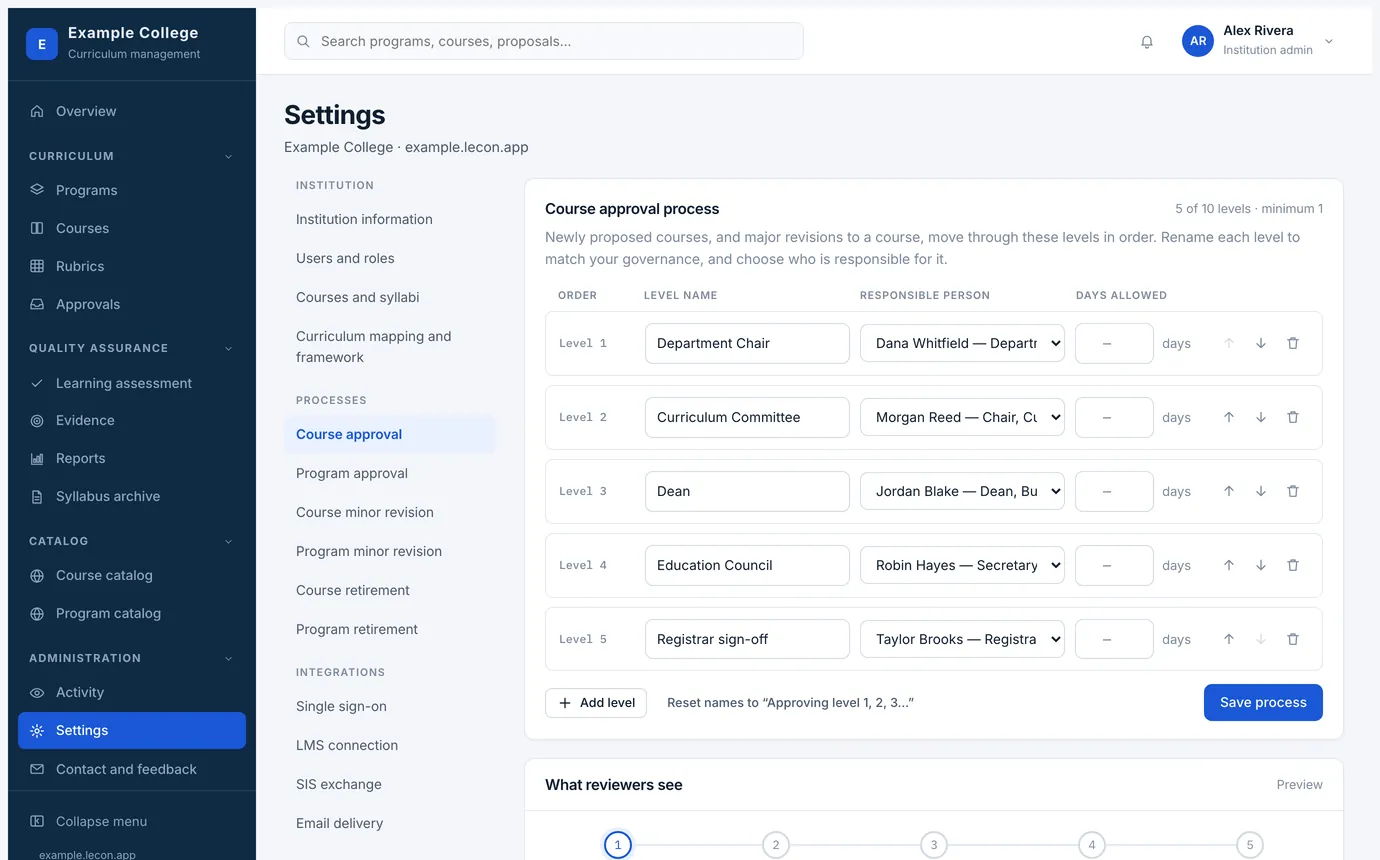
- Between one and ten levels. Rename each one to match your governance — the name you give it is what approvers, the dashboard and the calendar all show.
- Each level names the person responsible, and how many days they are allowed. The days drive the waiting counts and the reminders, not a hard deadline.
- What reviewers see, at the bottom of the page, previews the ladder exactly as it will appear on an item.
- A minor revision process is optional. An institution that has not set one up simply sends minor revisions through the full approval ladder.