Documentation / Administration
Your plan, what it includes, and billing
The tier your institution is on, what it allows, and where invoices live.
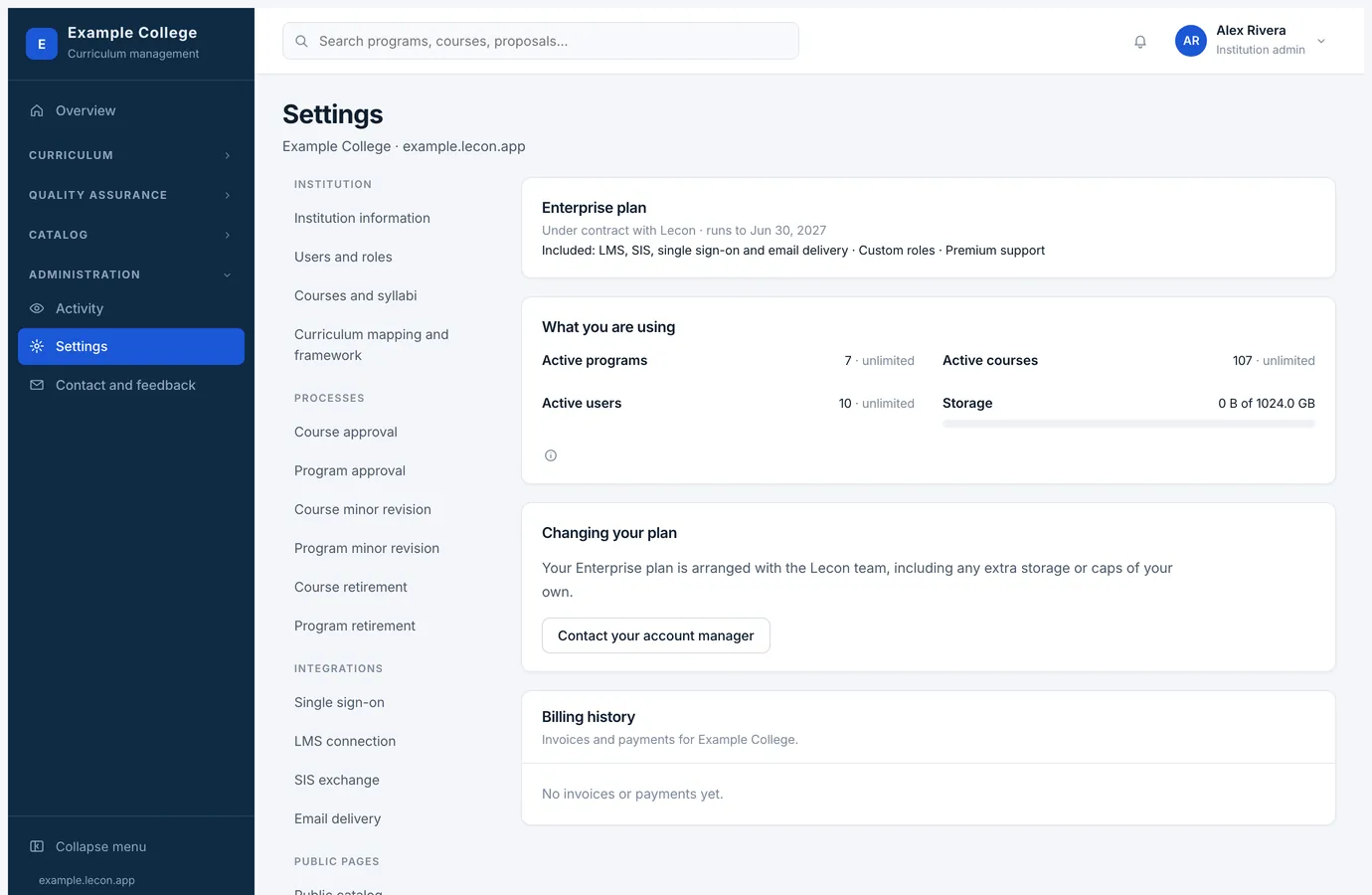
Every institution is on a plan: Free, Starter, Growth, Institution or Enterprise. The plan sets how much curriculum you can hold and which of the connections you can use. Settings → Plan and billing shows yours.
What a plan sets
- How much you can hold
- A cap on active programs, active courses, people with accounts, and storage. Enterprise has no cap on the first three.
- The connections
- Single sign-on, the LMS connection, SIS exchange and sending email from your own domain come in from Starter up. On a plan without them the page says so rather than hiding it, so you can see what an upgrade would add.
- Renaming roles
- Calling each role what your institution calls it is included from Starter up.
- Support
- Premium support comes with Institution and Enterprise.
What you are using
The page counts your active programs, courses, people and storage against the caps, and marks one as near when it passes four-fifths. Nothing you already have is ever locked: a cap is only consulted when something new is made.
Changing plan, and invoices
- Free, Starter and Growth change in the browser, monthly or annually; annual is charged as ten months.
- Institution and Enterprise are quoted and arranged with the Lecon team, along with any extra storage or caps of your own, so that page offers a way to reach them rather than a card form.
- Billing history lists every invoice and payment, and the card on file is changed through the payment portal — Lecon never sees the card number.
- If a payment fails, the page says so at the top. Nothing is switched off while that is being sorted out.
- The figures themselves are on lecon.app/pricing, which is the page that stays current.